Open source MIT core
Drag-and-drop uploads & folders
OnlyOffice integration
FileRise Pro v1.2.1
Run your own file portal.
Fast, clean, and fully self-hosted.
FileRise is a modern web-based file manager: drag & drop folders, preview
docs, images, and video, share links, and manage per-folder access — all on
your own server.
FileRise core is free & MIT-licensed. Pro unlocks branding, user groups, client portals,
and helps support development.
⚙️ Built for self-hosters and teams
🔐 Per-folder ACLs & WebDAV access
🧩 Optional OnlyOffice for doc editing
✨ Pro bundle: user groups, client upload portals, and storage explorer
Core vs Pro
FileRise core stays free and MIT-licensed. FileRise Pro is a paid, closed-source add-on bundle
that gives you extra polish and features for teams and client-facing setups. The commercial
terms for Pro are included in LICENSE-Pro.txt inside the Pro bundle.
FileRise Core
Free · MIT
- Fast, modern web UI for managing files & folders
- Drag-and-drop uploads and folder moves
- Per-folder permissions (view / upload / edit / delete / share)
- WebDAV access for drive mounts
- OnlyOffice integration for docs, sheets and slides
- Tagging, basic search, and multi-user support
FileRise Pro
Paid add-on · v1.2.1
- Custom header logo & instance-wide branding
- Custom header colors for light & dark themes
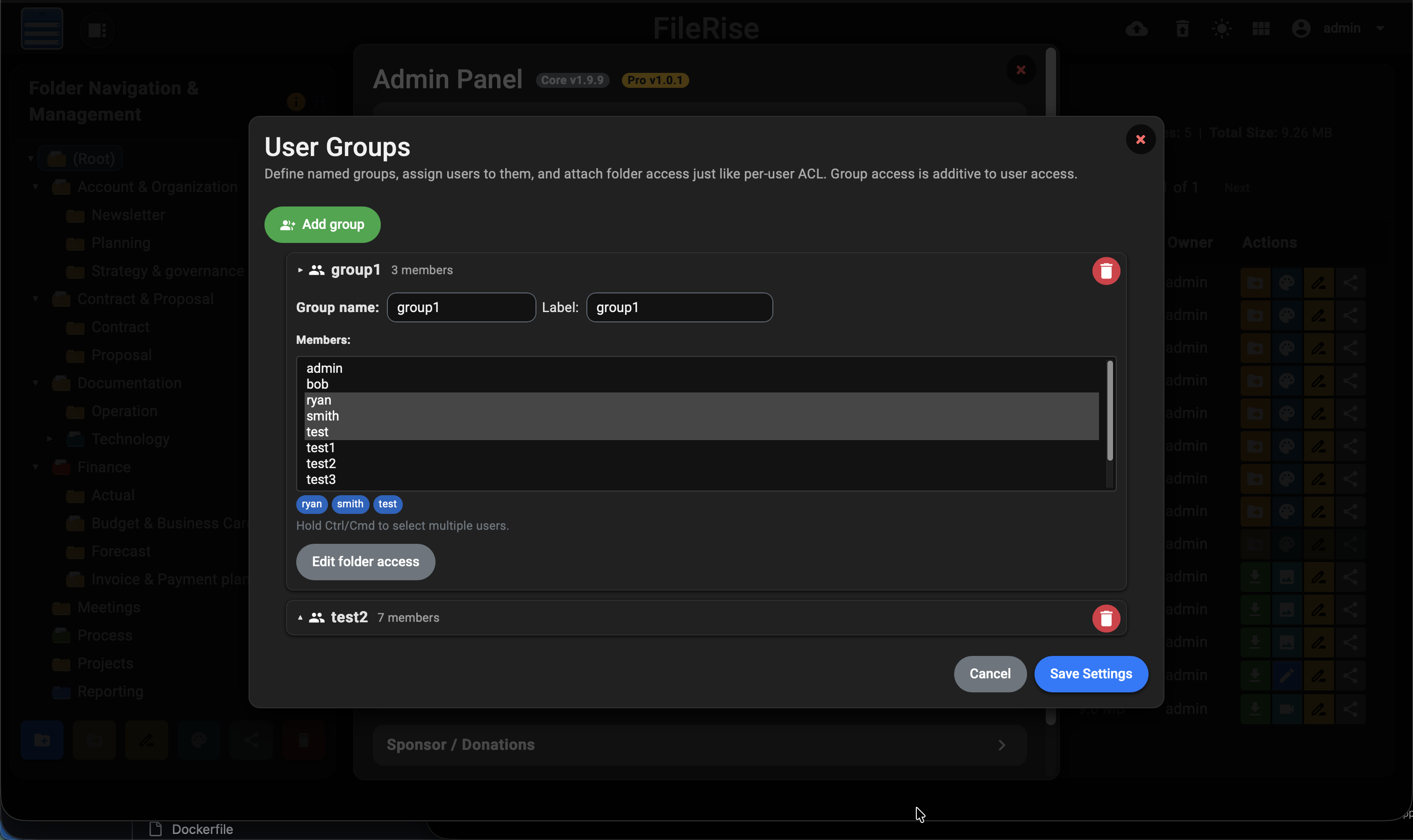
- User groups for folder access (group-based ACLs)
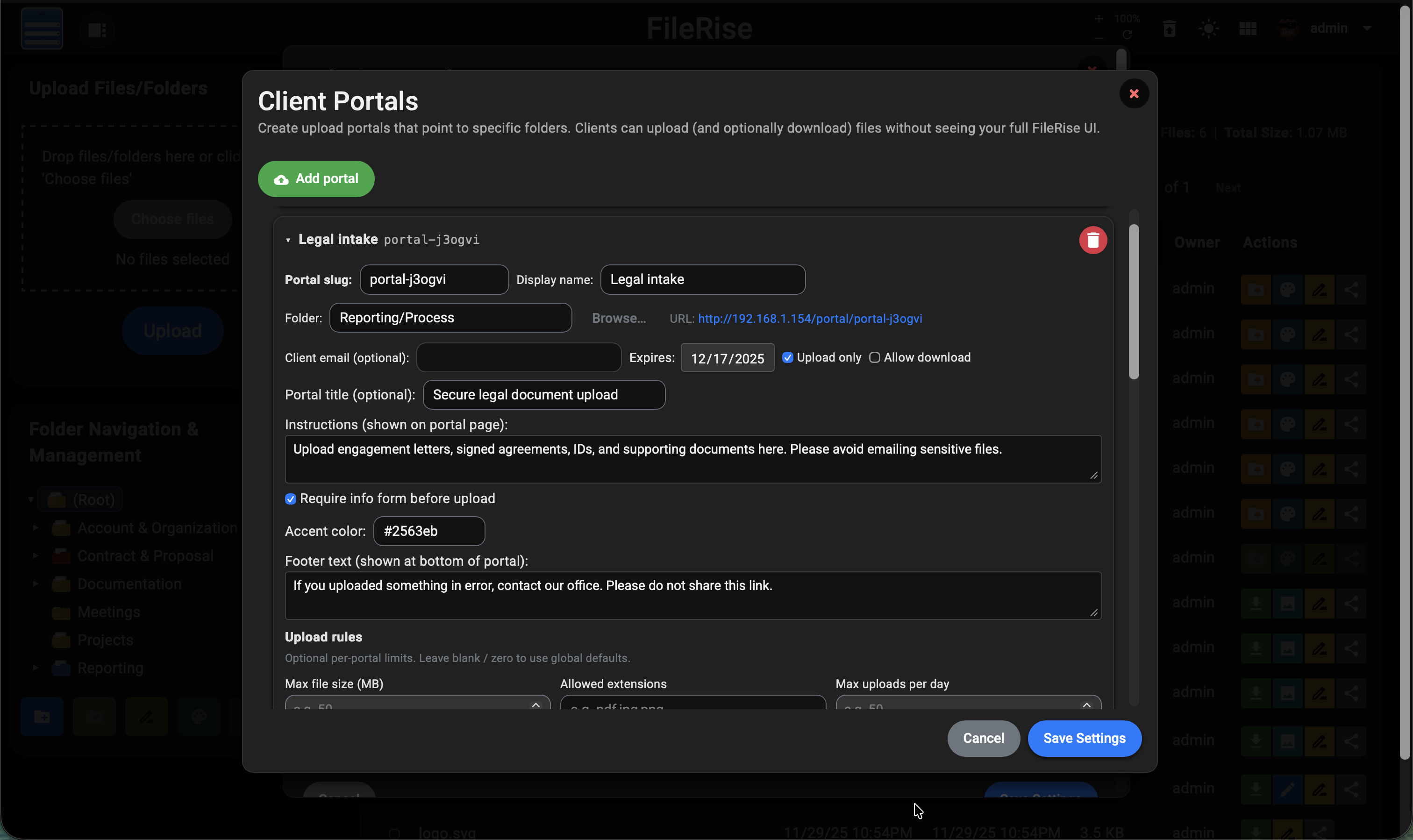
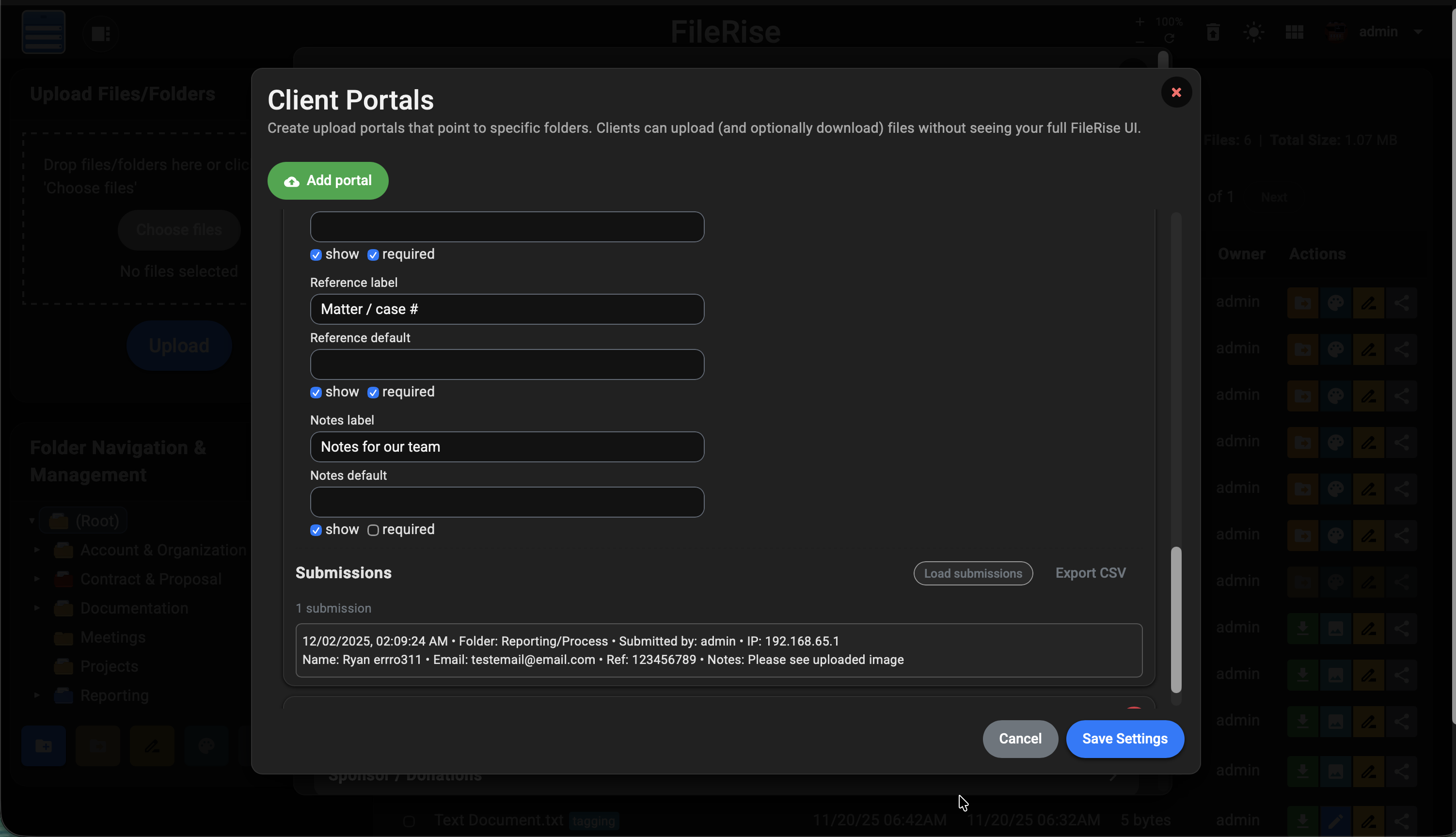
- Client upload portals with optional info form & submissions log
- Storage / disk usage explorer to find the biggest folders & files
- License-based activation (no recurring server calls needed)
- Helps fund ongoing FileRise development
What FileRise Pro adds today
On top of the free FileRise core, Pro v1.2.1 adds powerful access control and client-facing portals that plug directly into your existing folders.
User groups & ACLs
Define named groups (e.g., “Accounting”, “Clients A–M”), assign users to them, and grant
folder access once per group instead of user-by-user. Group access is additive with each
user’s own permissions.
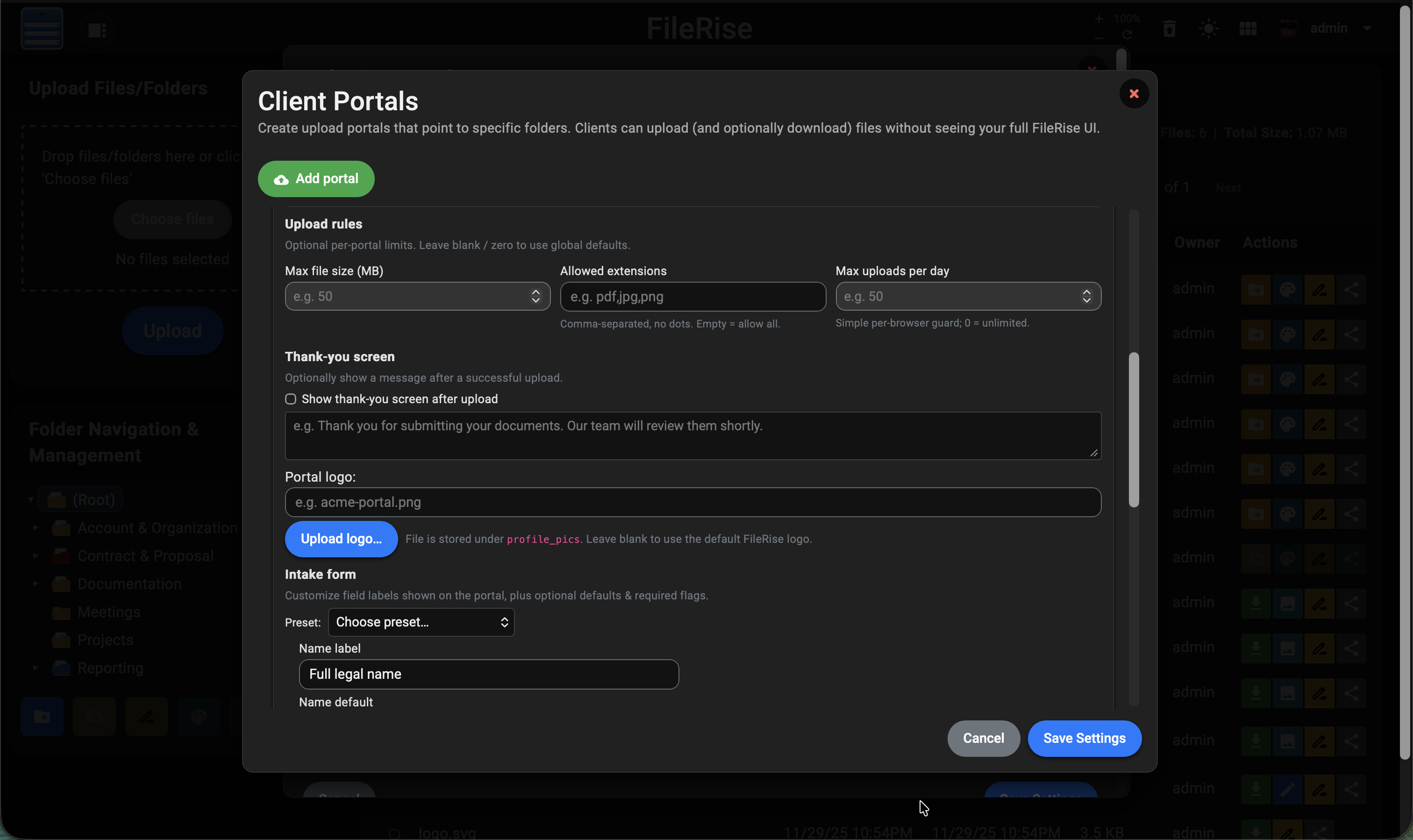
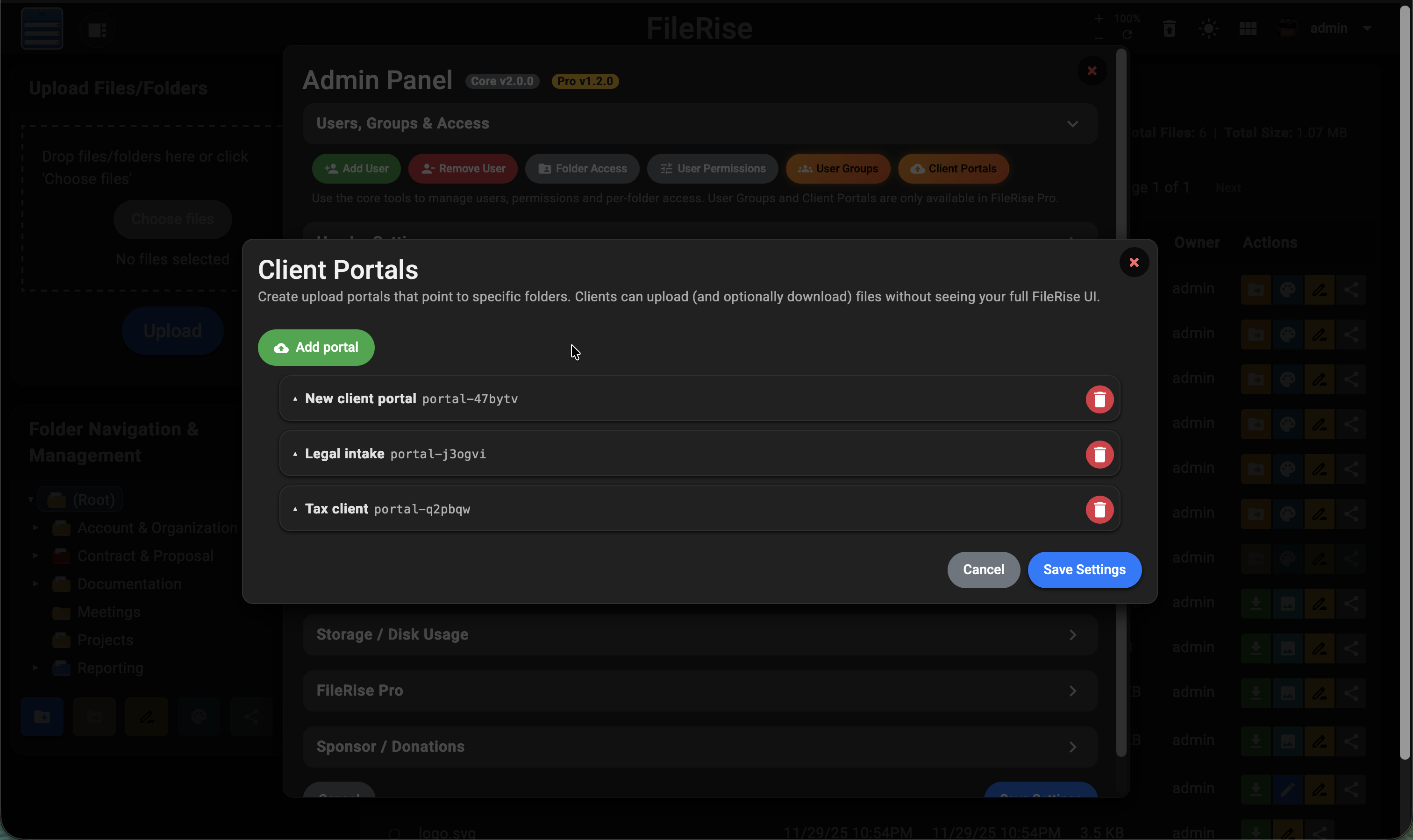
Client upload portals
Create branded client portals that point to specific folders. Configure URLs, expiry dates,
accent colors, per-portal logos, upload rules (size & file types), optional intake forms,
and an optional thank-you screen after upload. Every portal has its own submissions log and
CSV export.
What your clients see
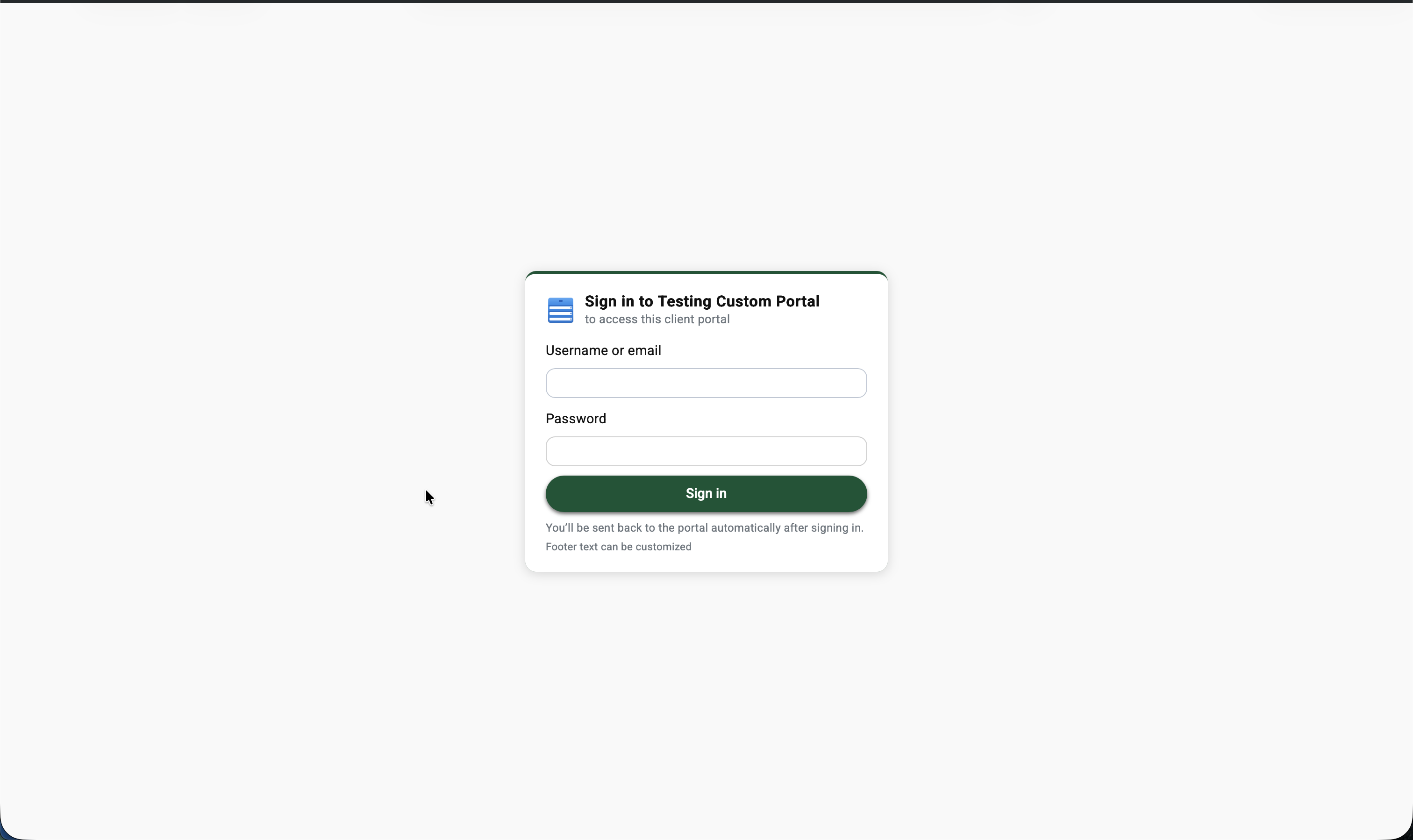
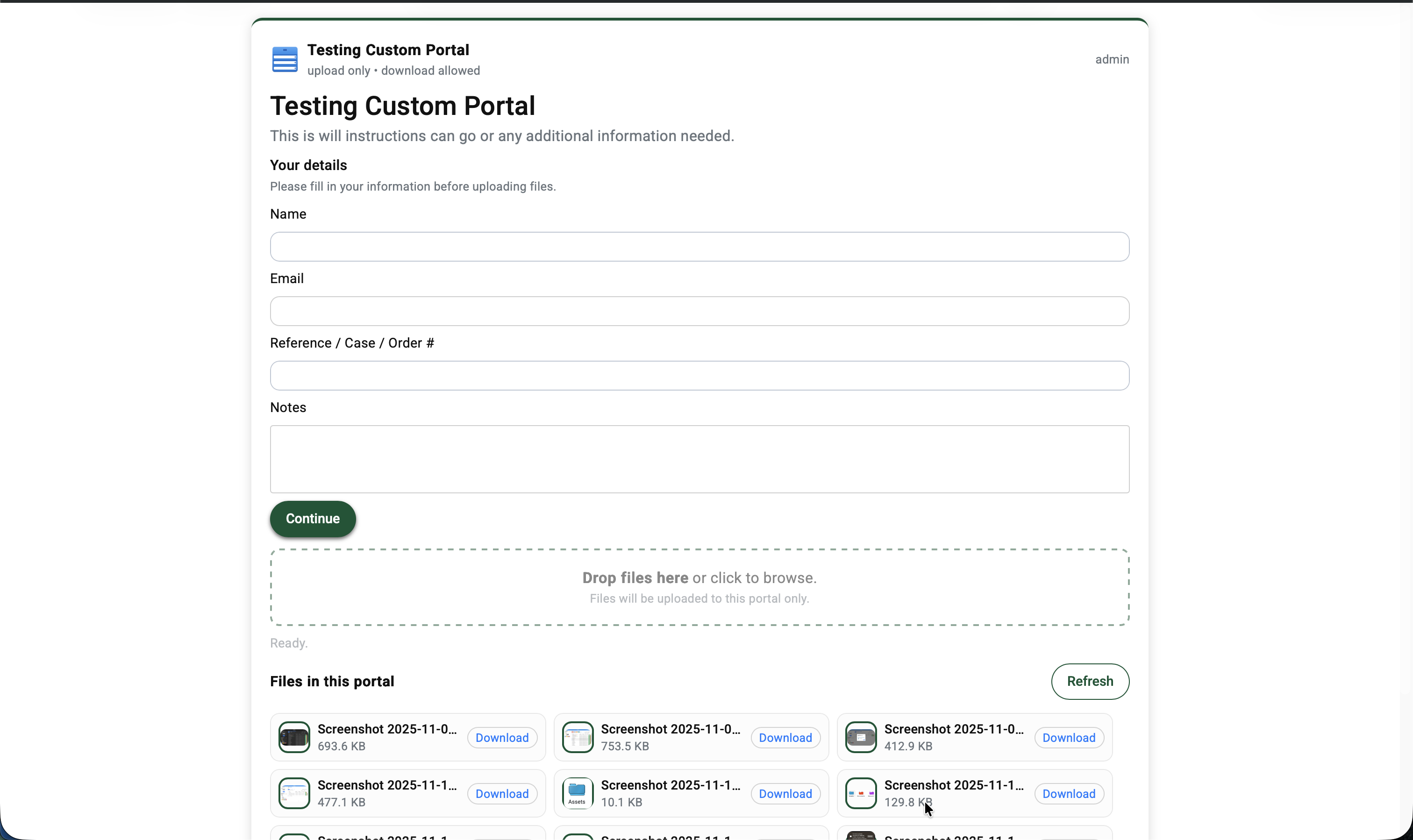
Clients get a clean, focused experience: a simple login screen branded with your logo
and colors, then a streamlined upload page with your intake fields, upload rules, and
optional thank-you message. No exposure to your main FileRise UI.
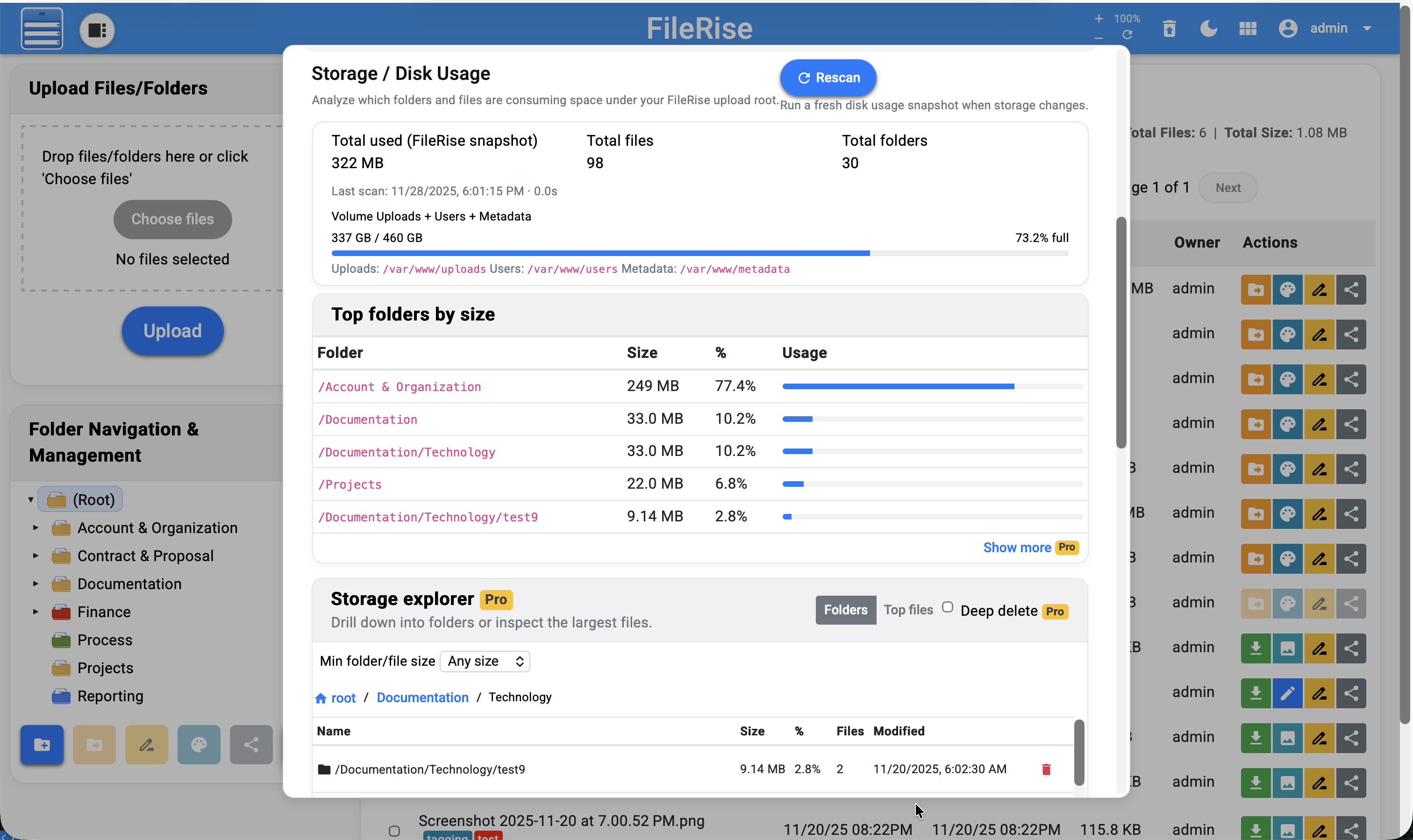
Storage explorer / disk usage
Scan your FileRise uploads and get an ncdu-style view in the admin panel: top folders by size,
largest files, and one-click cleanup actions directly from the UI.
Pro roadmap
These are features being explored for future FileRise Pro releases. Roadmap is not a legal
promise, but a rough guide of where Pro is heading.
-
User groups for ACLs
Delivered in Pro v1.0.1
– assign folder permissions to groups instead of per-user.
-
Client upload portals
Delivered in Core v2.0.0 / Pro v1.1.0
– send a link, client drops files, you get them in the right place automatically.
-
More branding options – deeper white-labeling, custom footer,
maybe per-tenant themes.
-
Activity/audit history – see who uploaded, renamed or deleted what (per-folder).
-
Enhanced portals – email notifications, size/quota limits, and portal templates.
FAQ
Is FileRise core really free?
Yes. The main FileRise app is open-source and MIT-licensed on GitHub. You can run it on
your own server, fork it, or customize it.
What does my FileRise Pro purchase include?
A license key and a Pro bundle ZIP with closed-source add-ons (for example, branding and
Pro-only endpoints). You can use these on your own server according to the FileRise Pro license.
Is FileRise Pro open source?
No. FileRise core is open-source and MIT-licensed, but FileRise Pro is a closed-source,
commercial add-on bundle. Your purchase gives you a license to run the Pro add-ons on
your own servers, but you may not redistribute the Pro source code or share the bundle
publicly. The detailed terms are in LICENSE-Pro.txt inside the Pro ZIP.
Do I need internet access for FileRise Pro to keep working?
No. Your license is validated locally using a signed key. After activation, FileRise Pro
does not need to talk back to filerise.net to keep working.
Can I still use FileRise without Pro?
Absolutely. Pro is optional. The core app remains fully usable without any Pro features
enabled.
Where do I get help?
If you run into issues with FileRise or FileRise Pro, you can:
open a GitHub issue on the FileRise repo, or join the Discord server (link in the header)
and ask in the support channel.